

Share one link.
Put your booking link on your website, Instagram profile or in a message.
Booking & scheduling · For independent pros
Share your link and let clients choose a service, location and time. Set the hours that work for you, then manage every appointment in one diary.
14 days free. Card required. Cancel before day 15 and pay nothing.
Booking essentials start with Starter at £9/month inc. VAT. Card processing fees apply.
From your link to your diary
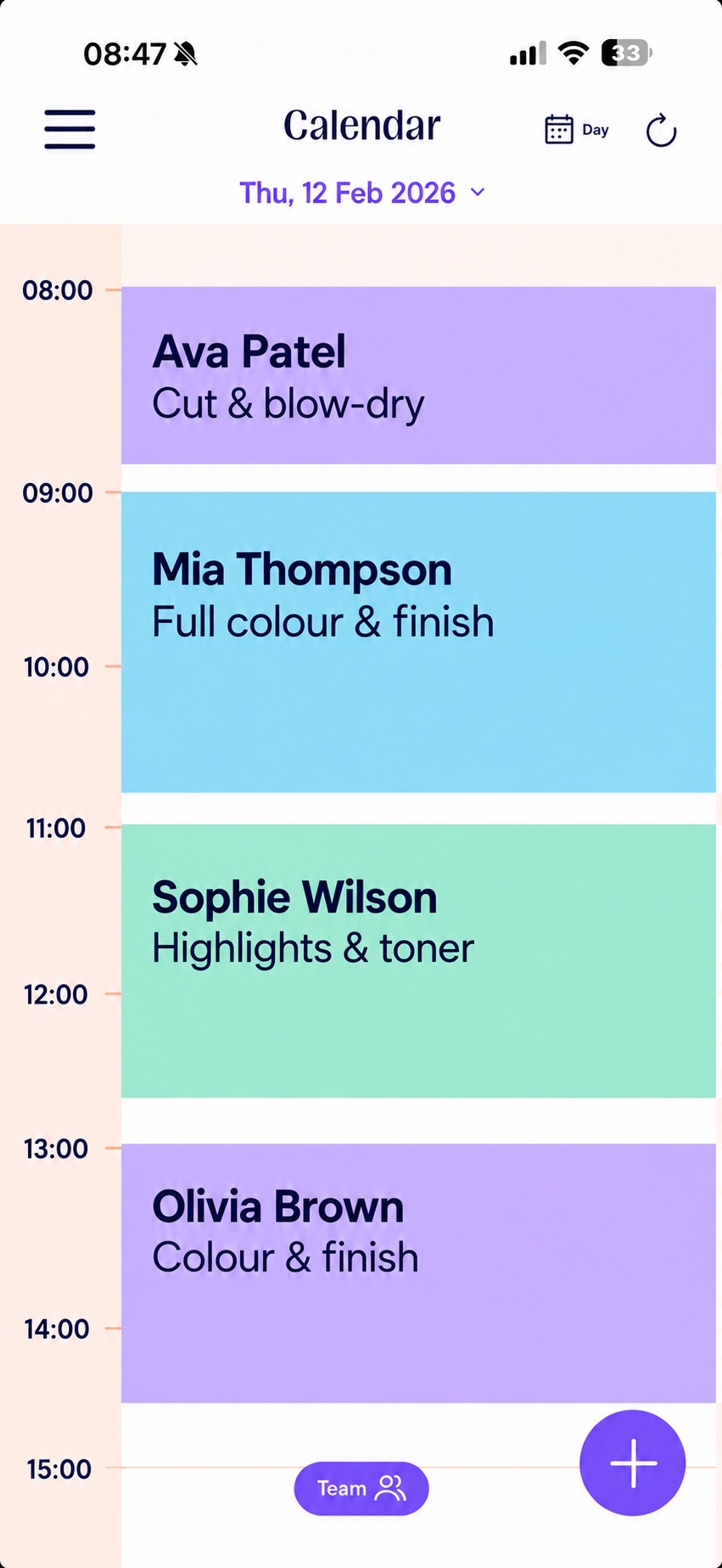
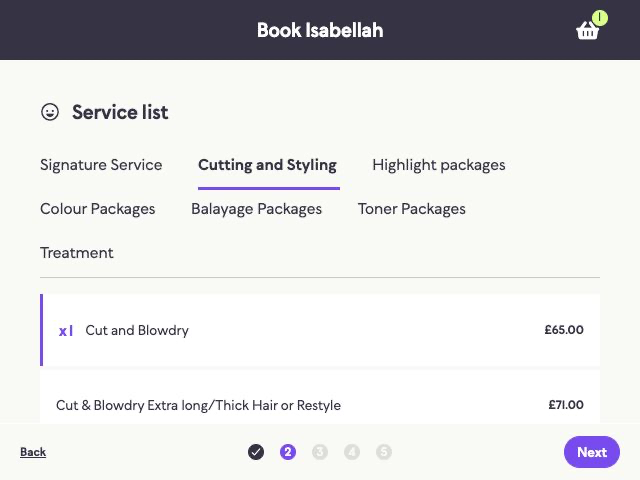
A client chooses a service, checks the details, picks a time and completes the booking. The appointment appears in your calendar.
Put your booking link on your website, Instagram profile or in a message.
They see the services, locations and times you make available.
Client bookings sit alongside appointments you add yourself.
Set the rules once. Change them as you work.
Choose your hours, booking intervals and buffers. Offer different services on different days, block out personal time and edit availability across a date range.
Example schedule
Set the hours and services clients can book at your studio.
Set booking intervals, buffer time and which services are available each day.
Example schedule
Offer mobile bookings on the days you travel, with the hours and services you choose for that location.
JENA calculates travel time automatically from Google Maps estimates, so each visit has room in your diary.
Example schedule
Choose a place, hours and services for each day. Clients see bookable times for the right location.
Set a different location, working hours and services for each day.
Multiple locations and mobile bookings are available on Pro and Max. Keep appointments from each place together in your JENA diary.
Watch how to set your scheduleEliminate gaps · Pro and Max
Turn on Eliminate Gaps and JENA offers times next to bookings already in your diary, alongside the edges of your working day.
If you have a one-hour appointment at 10:00, another client looking for an hour could see 09:00 or 11:00 when those times are available.
Only the times next to this booking are offered in this example, when your availability and booking rules allow.
Keep the next visit moving
Add an appointment yourself when a client calls or messages. After a visit, use rebooking to set their next appointment a chosen number of weeks ahead.
Email confirmations and reminders are included from Starter. Pro and Max add SMS reminders. You can customise when reminders go out, and clients receive a confirmation when they reschedule.
Explore reminders and messaging1 Open the client’s appointment
2 Choose Rebook and the number of weeks
3 Confirm a time in your diary
Choose the diary you need
Every paid plan includes online booking, your calendar, manual appointments and rebooking. Pro and Max add more ways to shape where and when clients book.
The booking essentials
Take bookings through your own link and run your diary.
£9 billed monthly after your trial. Inc. VAT.
14 days free · Card required
Your brand, all in one place
Make booking fit your locations and services.
£29 billed monthly after your trial. Inc. VAT.
14 days free · Card required
Extra help from AI
Add JENA AI to the Pro booking setup.
£49 billed monthly after your trial. Inc. VAT.
14 days free · Card required
Prices include VAT. Yearly plans are £79, £249 and £399, billed annually. Compare plans and costs
Booking with others?
JENA Collectives gives people shared calendar access, with Pro or Max tools for each member. One business owner pays for the members. Separately self-employed professionals paying for themselves each need their own full subscription before connecting accounts.
Minimum two people, including the organiser. That starts at £30 or £70 per month for two.
Ask about your setupFree migration support included
Your clients and diary matter. Check everything together before you share your new booking link.
We'll explain which files to send and confirm what can transfer.
Transfer scope depends on your export.
Our team helps import the data. Migration support is free.
Review your diary and test the booking journey. We'll help with anything that needs fixing.
Help before and after the move. Starting fresh? We'll help you set up your services, hours and booking link.
14 days free. Card required. No payment until day 15.
We'll confirm the timing once we've checked your files.